

How I Built a Sales Research Pipeline Entirely Inside Google's Ecosystem
The full prompt framework, a scoring system, and custom Gem instructions for turning prospect research into outreach decisions.


TLDR🧠: I built a sales research pipeline using Gemini Deep Research, NotebookLM, and Google Sheets — entirely inside Google's ecosystem. Two commands in a custom Gem produce a scored lead profile with outreach draft in under 20 minutes. Tested on three companies. Includes the full 0-16 scoring framework, every prompt, and the custom Gem instructions to copy.
Last Tuesday, I needed to evaluate two companies as potential clients for AI implementation consulting. One was a global fintech. The other was a private healthcare IT firm.
The old way: twelve browser tabs. LinkedIn for decision-makers. Crunchbase for funding. The company blog for product announcements. Job postings for tech stack signals. Google News for recent press. Forty-five minutes per company, minimum. By the end, my notes are scattered across three apps and a sticky note, and I still don’t know if either company is worth a cold outreach.
So I tested something different. I built a research pipeline using Gemini Deep Research, NotebookLM, and Google Sheets — all Google, one ecosystem, no code — to go from a company name to a scored, qualified lead with a personalised outreach draft.
This is that build. The full prompt framework, the scoring system, the failures, and the fixes.
👋 Hi, I’m Raghav
In Cash & Cache, along with Ashwin, I publish weekly on AI implementation & strategy, and every workflow we cover ships with a downloadable asset in the Library.
Browse the Library → Cash & Cache Library
Not sure where to start? Take the quiz
*****************
The gap between "I should research that company" and actually having a qualified lead with an outreach angle is 45 minutes of tab-switching nobody talks about.
In this post, we will cover:

Before You Touch Gemini: The Homework That Actually Matters
Often AI prospecting tutorials skip this. They hand you a prompt, tell you to type a company name, and act like the hard part is getting AI to produce a report. It isn’t. The hard part is knowing what to ask for.
I spent more time preparing for this pipeline than running it.
You need to understand your own offering with uncomfortable specificity. Not “I do AI consulting.” What kind of AI work? For what kind of company? Solving what kind of problem? I help mid-market companies move from “we should use AI” to “we’ve actually built something that works” — through workflow automation, internal tool development, and AI integration into existing products. That specificity shaped every prompt. The research prompt prioritises “AI & Technology Posture” as the heaviest section because that’s where my sales signals live. A cybersecurity consultant would weight “compliance gaps.” A CFO advisory firm would weight “financial infrastructure maturity.” Your service defines your research lens.
You need companies already in mind. This pipeline is not for open-field discovery. It won’t tell you which companies to target. It tells you everything about companies you’ve already identified as worth investigating. Where do those targets come from? Industry news. Conference attendee lists. LinkedIn connections posting about challenges you solve. Competitor client lists. I chose my test companies because I’d already noticed signals — engineering blog posts about building internal AI agents in one case, a new Chief Transformation Officer appointment in the other. The pipeline amplifies your existing awareness. It doesn’t replace it.
You need a qualification framework before you open any tool. I defined four scoring dimensions: Budget Capacity, Need Intensity, Timing, and Accessibility. Each scored 0-4, anchored to observable evidence. “They raised a round with AI in the press release” is a 4 on Budget. “They seem well-funded” is not a score. This framework existed on paper before I opened Gemini.
The biggest caveat in the entire article: AI research tools are force multipliers for prepared people. If you don’t know your value proposition and don’t have a qualification framework, Gemini will produce a beautiful, thorough, completely useless report.
What the Pipeline Actually Produces
Before the build, here’s what came out the other end. For each company, four outputs.
A structured intelligence brief. Not a Wikipedia summary — a document weighted toward technology posture and AI maturity. The pipeline surfaced things like: specific internal AI tools a company had built, job postings revealing engineering bottlenecks, competitor moves creating pressure, and leadership changes signalling strategy shifts. Deep Research cited 50-100+ sources per company.
A decision-maker profile. A specific person with a verifiable name, their recent public activity (conference talks, published articles, LinkedIn posts), and a connection angle for outreach.
A qualification score. A 0-16 rating with cited evidence. One company scored 14/16 — clear fit, reach out now. Another scored 13/16 with a Need score of 1/4, revealing they were already so advanced that standard consulting wasn’t relevant. A third — Airbnb, added later to test at scale — scored 9/16: “keep on radar.” Three different scores, three different strategies. That’s the framework working.
An outreach draft. A personalised LinkedIn message under 80 words referencing something the contact actually said or published.
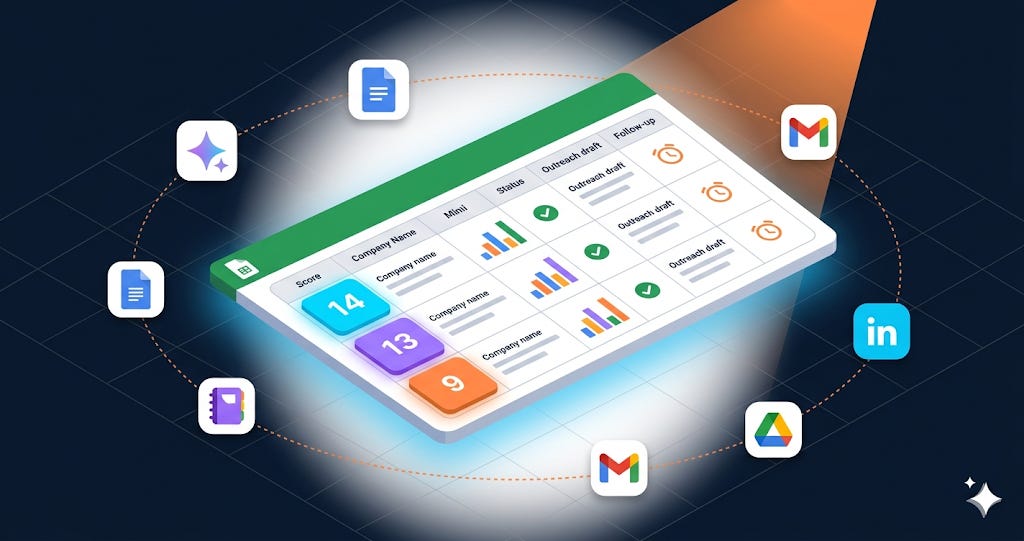
The Pipeline: How It Works
Here’s the architecture. Each tool does one job, and they connect without manual data transfer.
Gemini Deep Research is the researcher — 50-100+ live web sources per query, synthesised into a structured report with citations. Each company took 7-10 minutes. Gemini Chat is the analyst — faster and more controllable for scoring, decision-maker identification, and outreach drafting. NotebookLM is the comparator — source-grounded, so every comparison traces back to the actual research. Google Sheets is the pipeline tracker, with Gemini in the sidebar making it queryable. Gmail feeds internal knowledge back into the research.
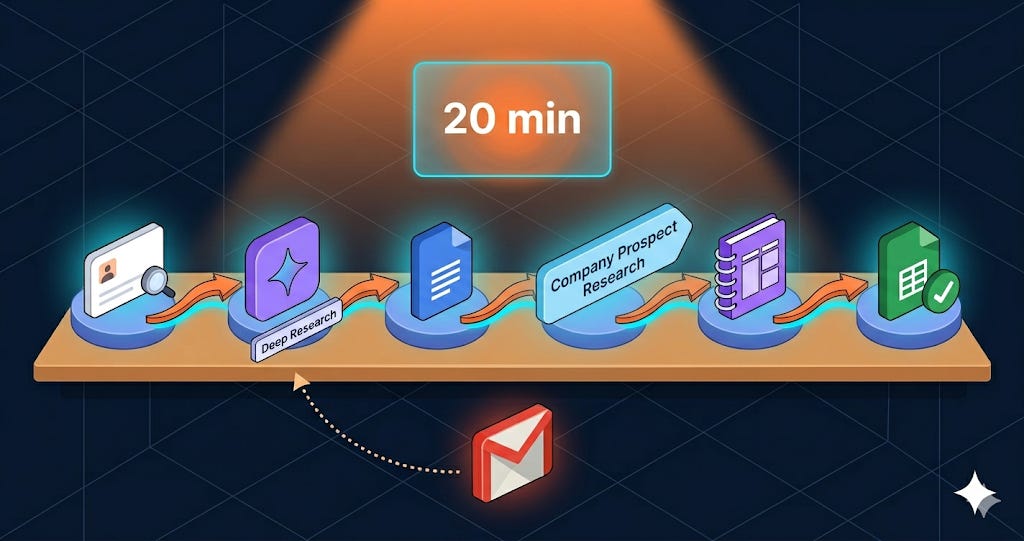
The export chain: Deep Research → Google Docs → NotebookLM → Data Table → Google Sheets, with Gmail feeding additional context back in. One ecosystem, one login.
I built a custom Gem so I don’t re-type the framework every time. I called it the “Sales Lead Researcher” and gave some custom instructions that form the bedrock of very research query I put.
Following this, use two commands for each company to extract research details, score them across KPIs that measure goodness-of-fit to your companies and an outreach draft message to the most relevant personnel in the prospective client (also found through this research).
Research [Company Name]
This triggers Deep Research with the full structured framework — company fundamentals, AI posture (priority section), business momentum (last 12 months only), and pain signals.
Score [Company Name]
This triggers decision-maker identification, 0-16 qualification scoring, and outreach drafting — all in one sequence.
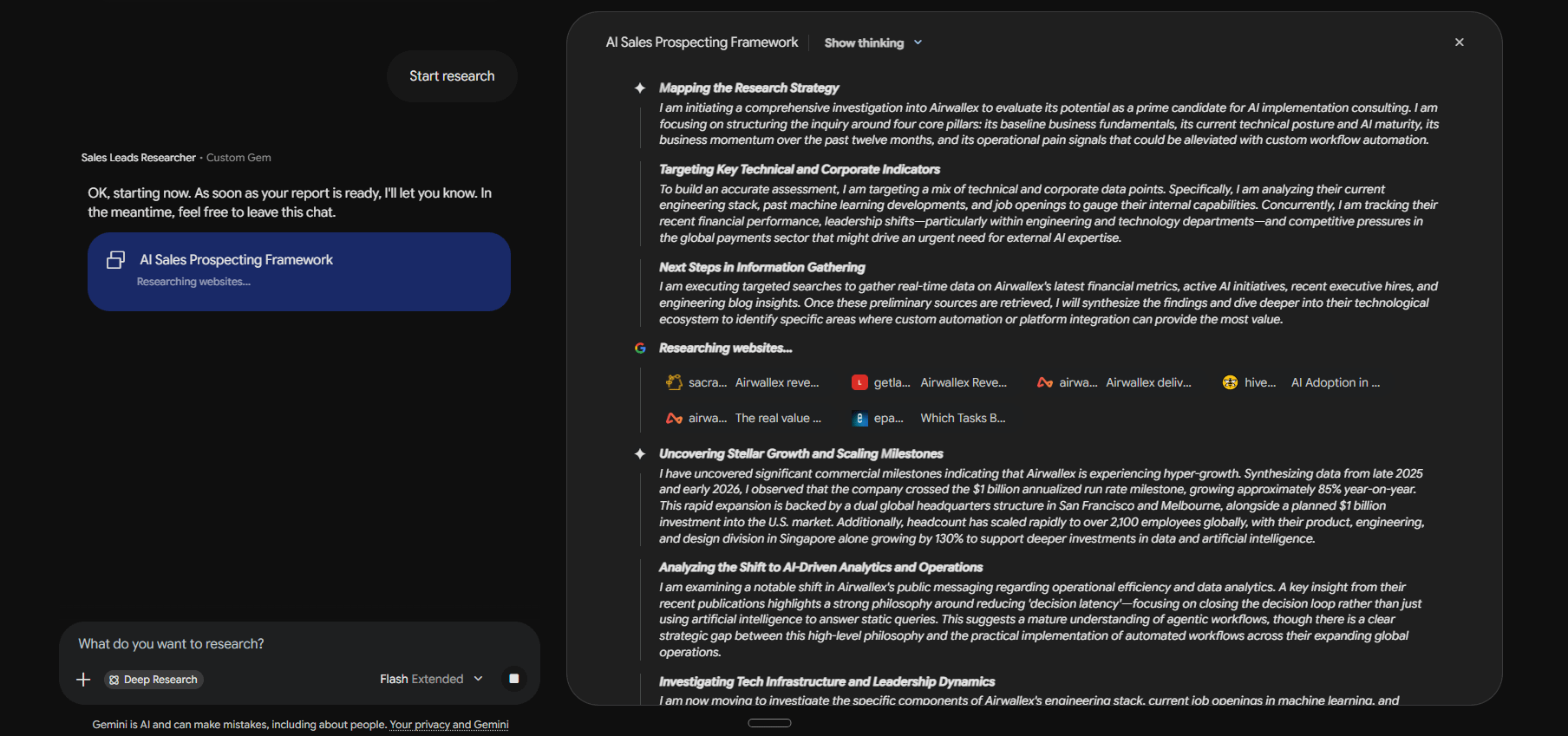
The Deep Research output plan generates real-time for you to oversee how Gemini researches on the information.
And the kind of output the scoring produces — a complete company fundamental breakdown with cited evidence for every dimension— is very useful. You can even create a web prototype for C-suite presentation to give your research an interactive dashboard with Gemini’s newest updates.
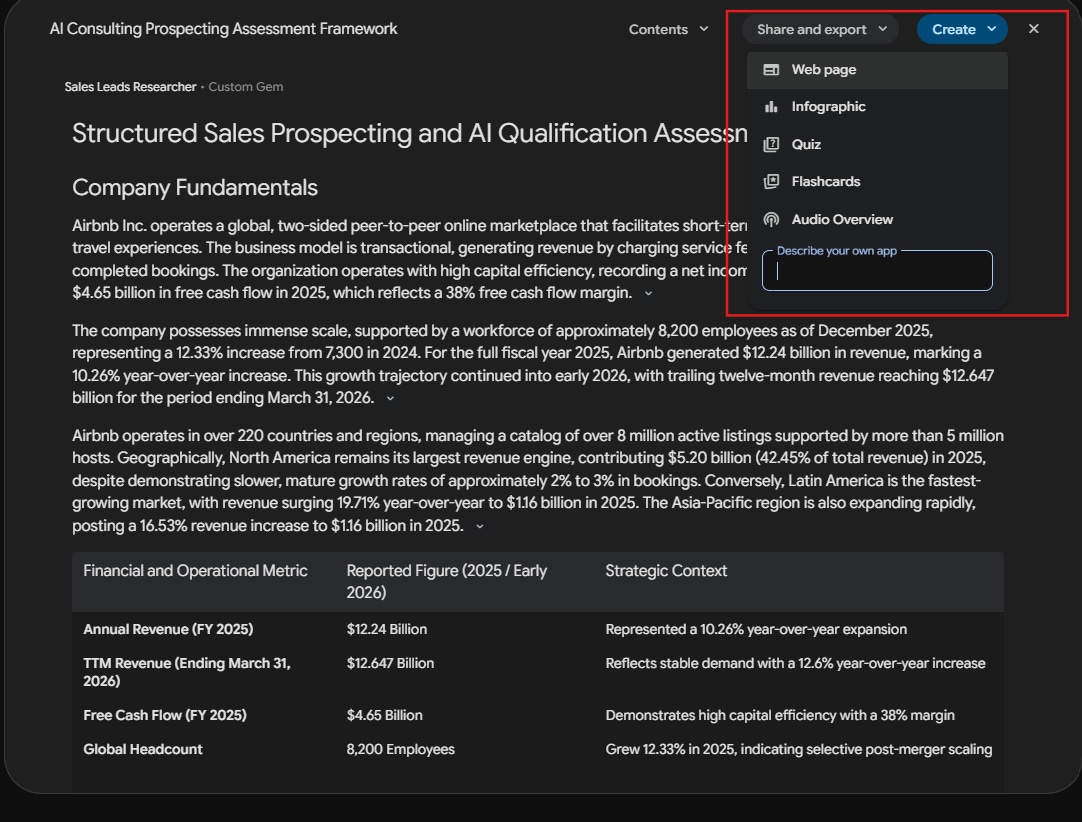
Since we are working with Google Workspace, I can easily click on “Share and Export” option to generate a Google Doc version of the output.
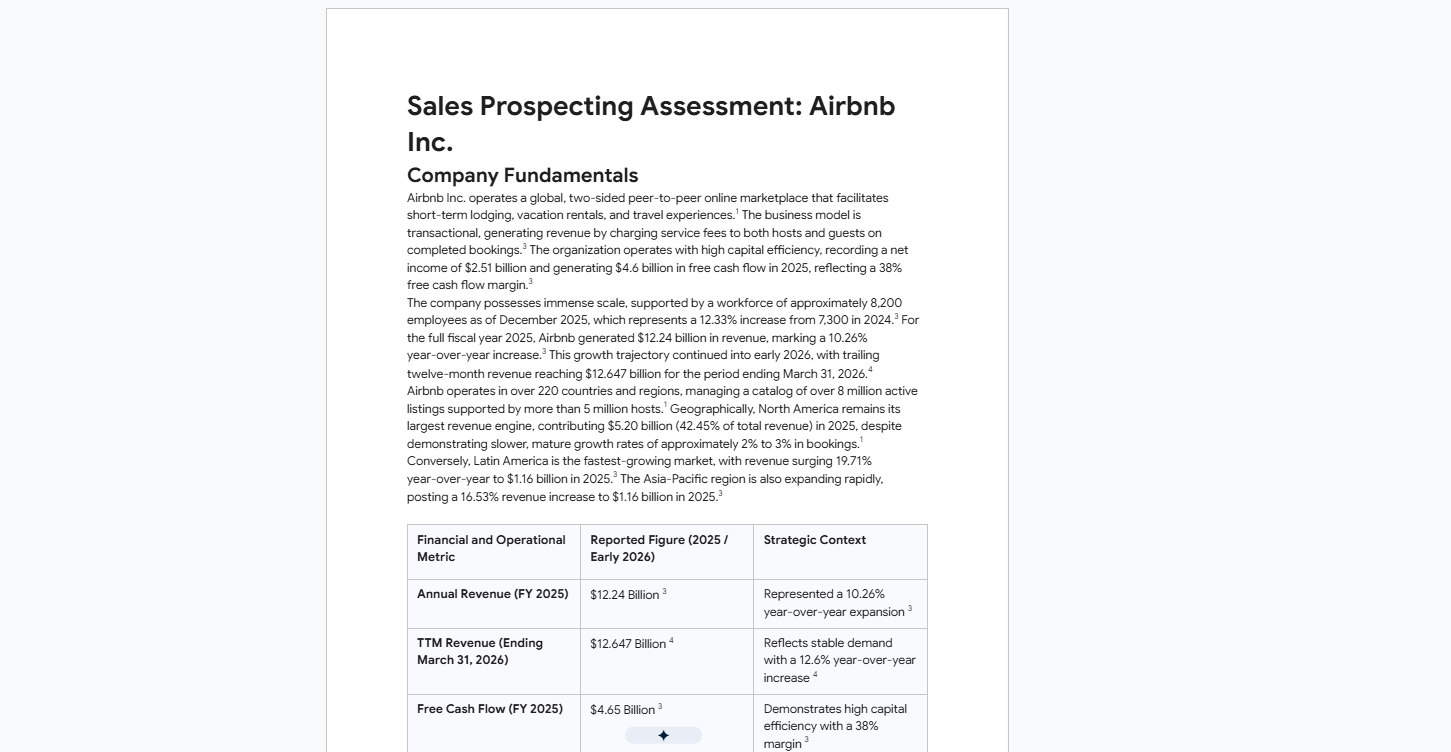
Trade-offs, named: Deep Research is slow (7-10 minutes per company) with daily usage limits on Pro. NotebookLM is overkill for one company. Gmail search only works if you have relevant emails. This runs on Gemini Pro ($20/month).
The free content for this piece ends here!
🔒 What’s behind the paywall:
Paid subscribers get the full build — the custom Gem instructions (copy-paste ready), the 0-16 scoring rubric with criteria for every level, the exact NotebookLM comparison and verification prompts, the Gmail triage prompt, the Gemini-in-Sheets queries, and the complete Repeatable Systems Pack with every prompt and the Google Sheet schema. Everything you need to set this pipeline up in one sitting.
