

Deep Learning in 2026: Build Domain Expertise in Hours Using NotebookLM + Gemini
A repeatable workflow to research, debate, visualize, and master any complex topic.


AI makes it easy to get quick summaries of anything. But we are missing the opportunity to use these tools to build deep, lasting expertise instead of just surface-level understanding.
We treat NotebookLM like a summarization machine. Upload sources → get overview → extract text summary. Today, we're flipping the script by using NotebookLM and Gemini not to summarize information, but to master complex topics.
For this workflow, I want to take you through my experience learning about Generative UI (GenUI), an ideology disrupting the traditional way of building mobile/web interfaces for digital applications. GenUI challenges the norm of having one static interface for all users and leverages the power of AI to create dynamic personalized experiences for each individual user.
Let’s fire up a new notebook in NotebookLM and get started.
🔍 Eagle-Eye View
If you don’t have sources on-hand, you can use the Discover feature, where NotebookLM acts as a curated search engine. Once you open a new notebook, a popup will automatically trigger to load sources.
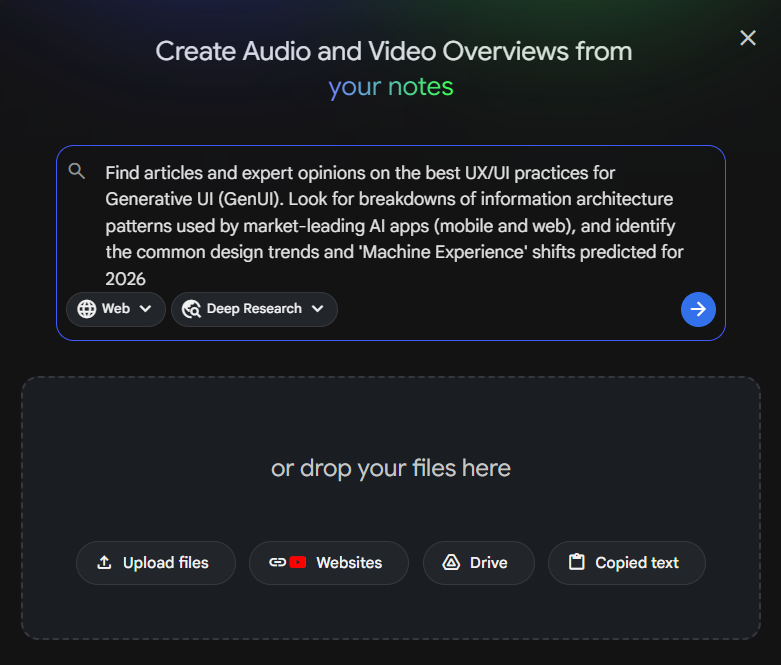
I ran this prompt to find sources on GenUI:
Find articles and expert opinions on the best UX/UI practices for Generative UI (GenUI). Look for breakdowns of information architecture patterns used by market-leading AI apps (mobile and web), and identify the common design trends and 'Machine Experience' shifts predicted for 2026.I chose the Deep Research option as the topic is broad. You could use Fast Search for more focused and targeted topics. NotebookLM came back with 44 different sources, all of which I mass imported into the notebook.
My preferred ways of learning include videos, podcasts, and infographics. The studio pane supports these learning styles and more, including mind maps, data tables, audio overviews, etc.
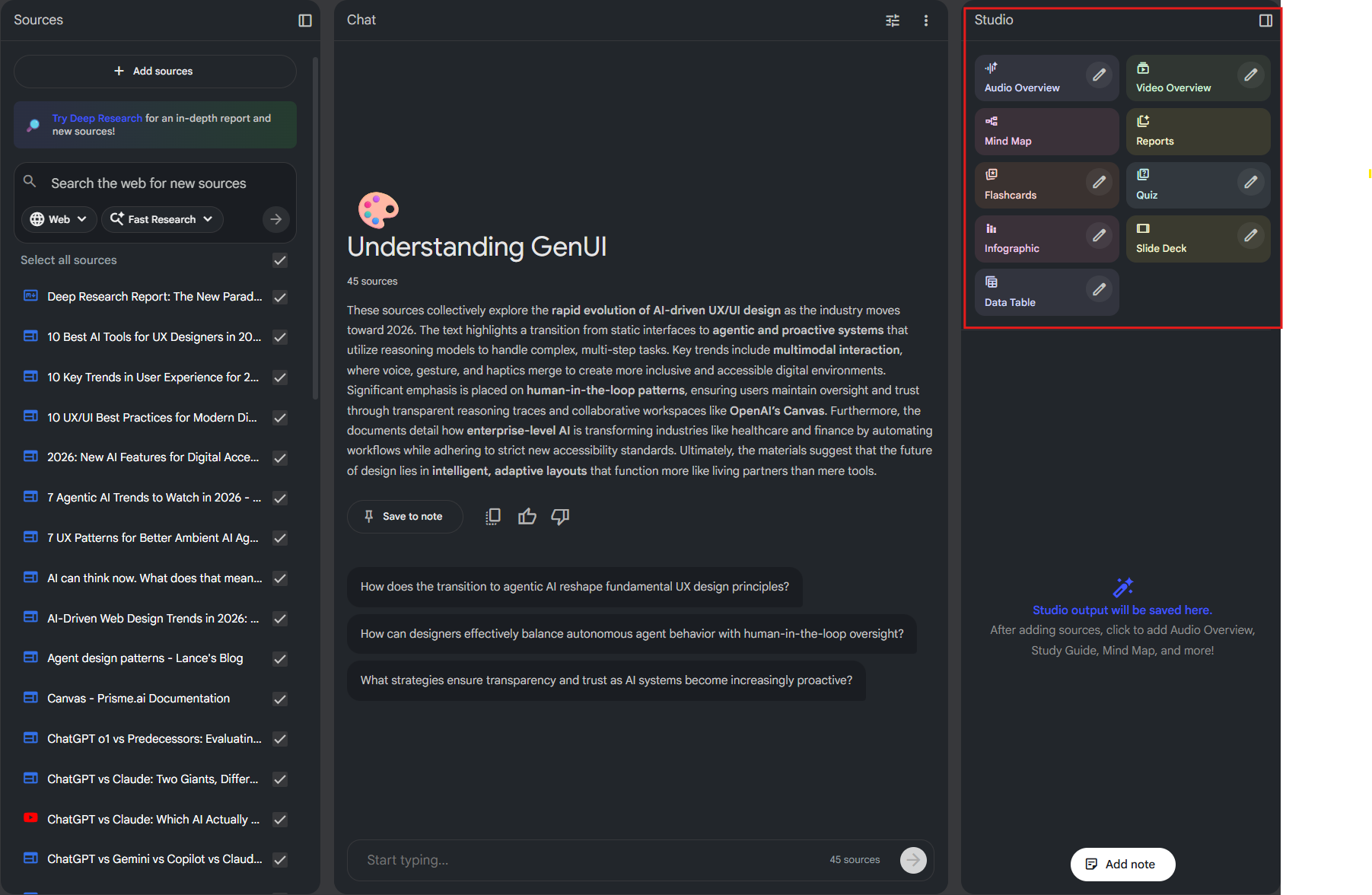
One of my favorite ways to consume content nowadays is through podcasts. I subscribe to a handful of great content creators in the AI and product management spaces.
So let’s start our learning journey with a podcast episode taking us through the emergence and future of GenUI. NotebookLM will analyze the imported sources and synthesize insights into a podcast format. To trigger this we use the Audio Overview feature.
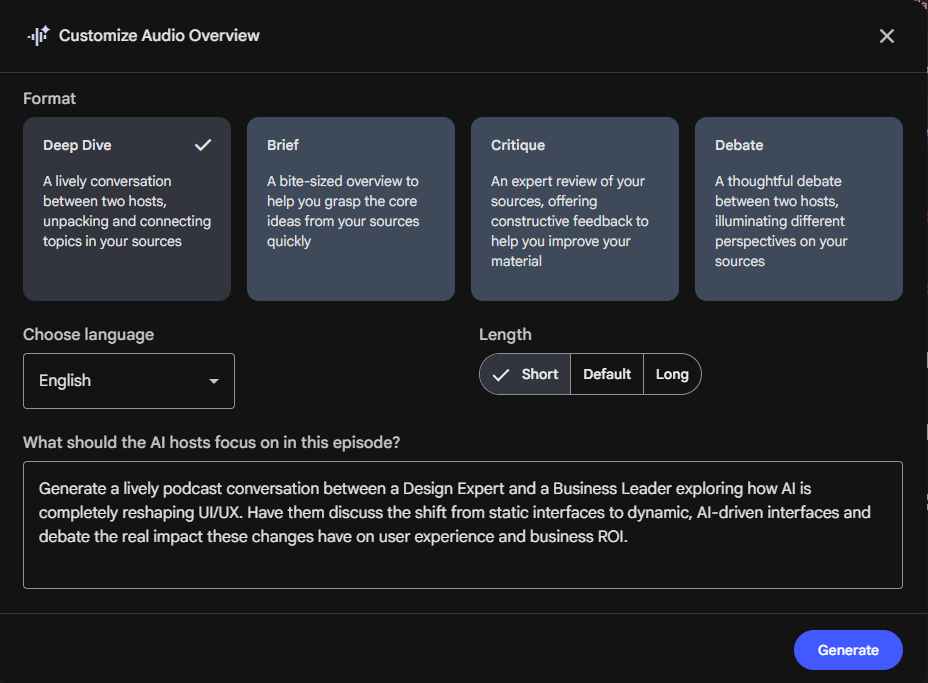
Honestly, I wouldn't know it was AI-generated if I hadn't triggered the creation. The hosts spoke with natural human tonality and speech patterns. The topics covered were broad including ROI vs quality, UIUX careers in the future, the argument for GenUI over static interfaces, etc.
With this eagle-eye view, let’s dive deeper.
🦋 Visual Learning
Let’s start with a Mind Map which you can generate from the NotebookLM studio panel. You can individually expand nodes and explore the map or click the expand all nodes button on the bottom right corner of the screen above the zoom toggle.
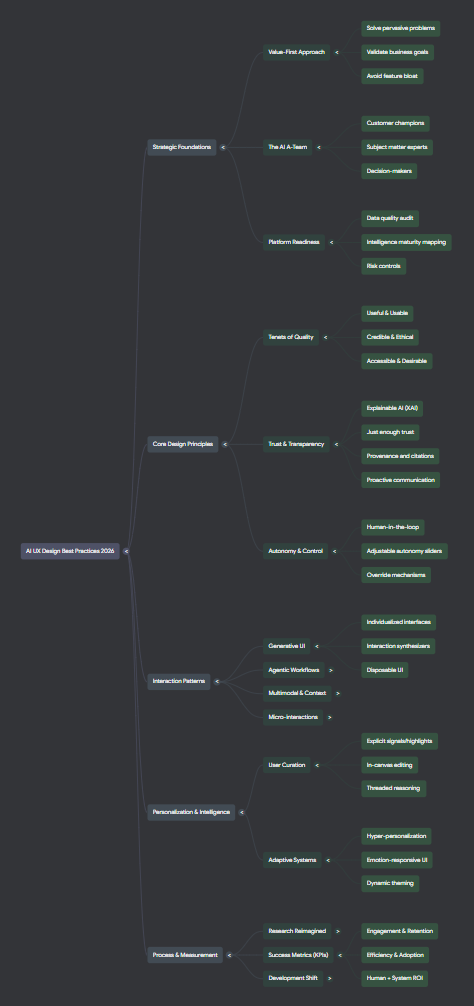
This is a great way to visually understand the hierarchy of topics and subtopics. And if you click on any node, NotebookLM will run a prompt to explain that node and associated child nodes. I started off with the core design principles node and got the breakdown in the chat.
The breakdown in the chat was detailed but unstructured. That’s where the Data Table feature comes in handy. This will create a formatted table which can also be exported to Google Sheets (in-built integration in NotebookLM). You can customize the data table structure and add specific instructions by clicking the pencil within the data table feature.
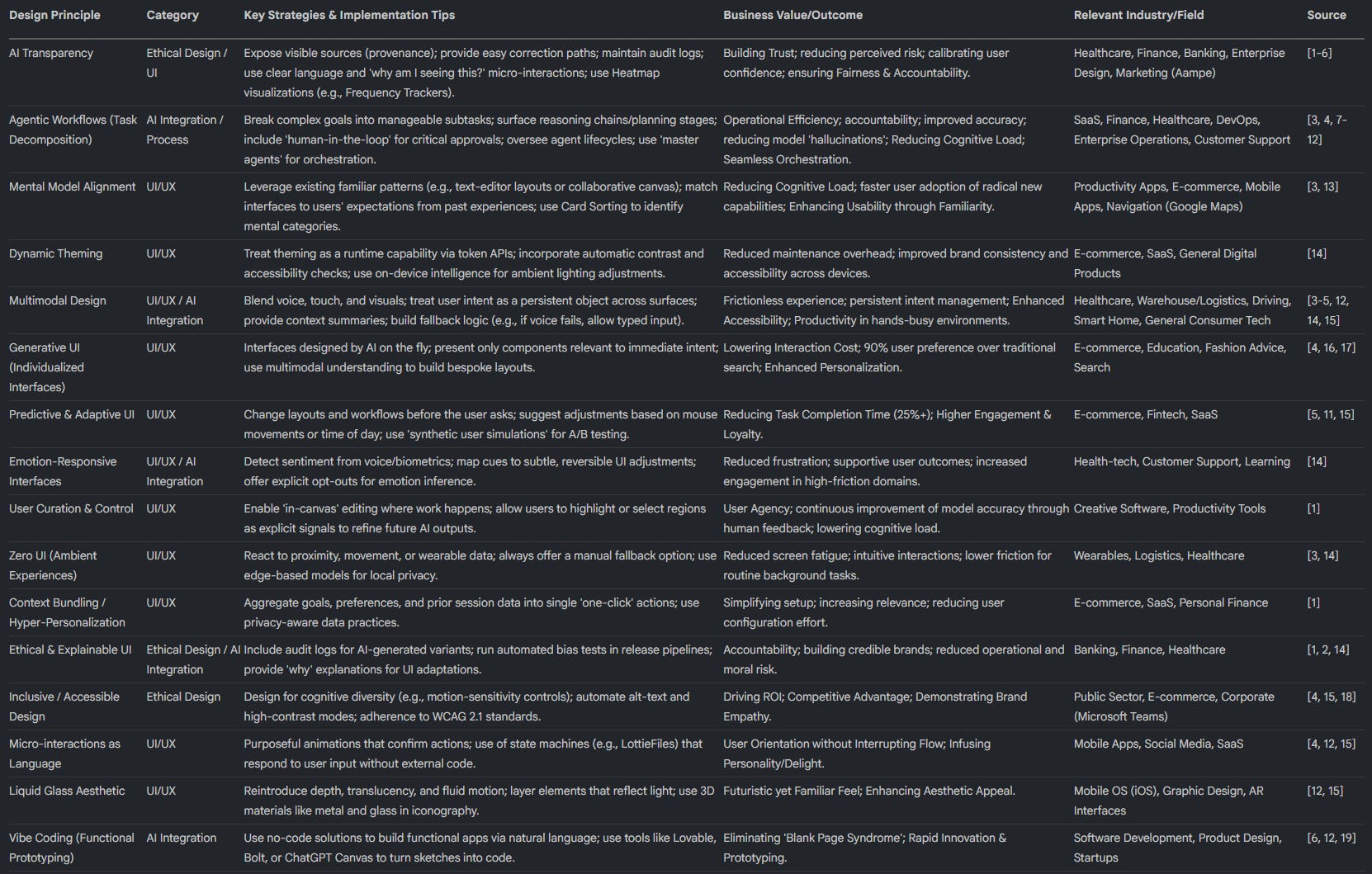
Another way to present summarized information in a more visually appealing format is through infographics. Let’s create a GenUI cheat sheet.
I pulled the data table into Google Sheets and copy-pasted the core design principles with the relevant columns into the infographic prompt. I used the Detailed version as I wanted to compact a lot of information into a one-pager.
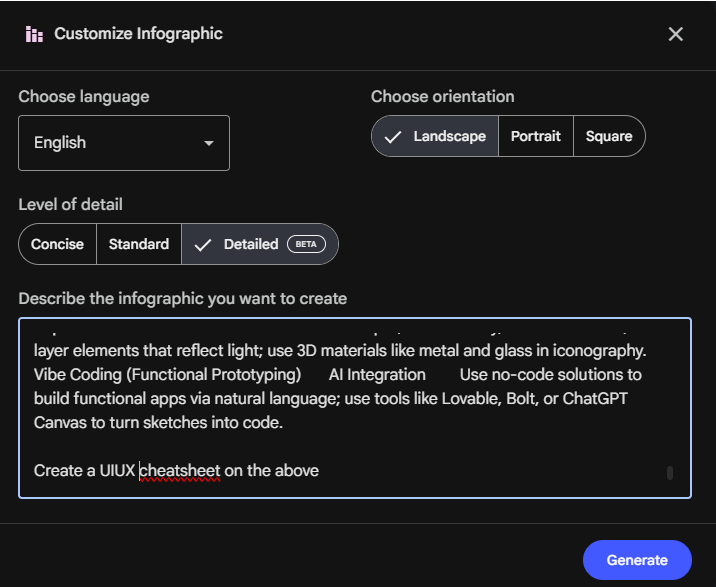
I generated the infographic in both landscape and portrait orientations to see what would look best.
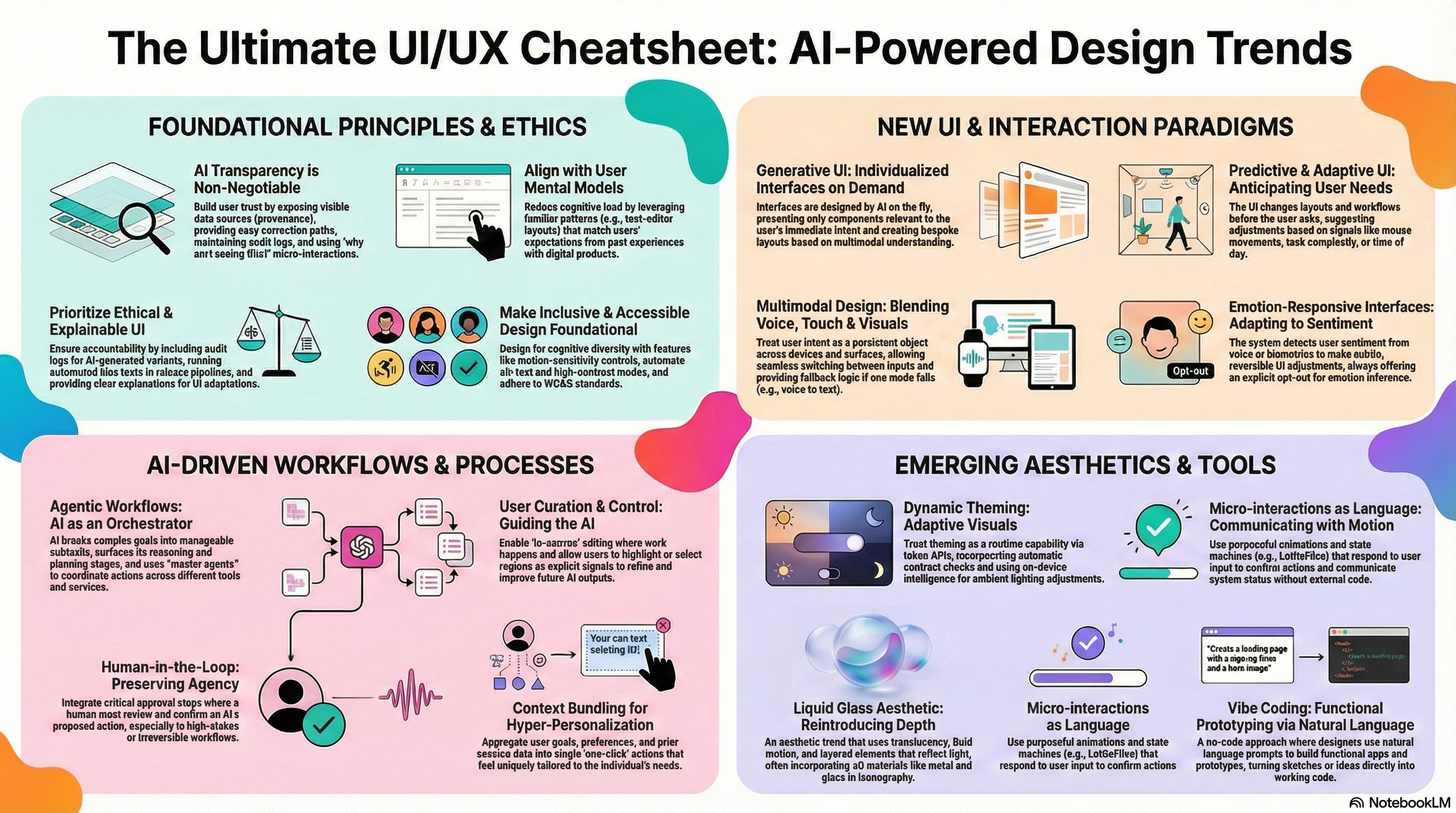
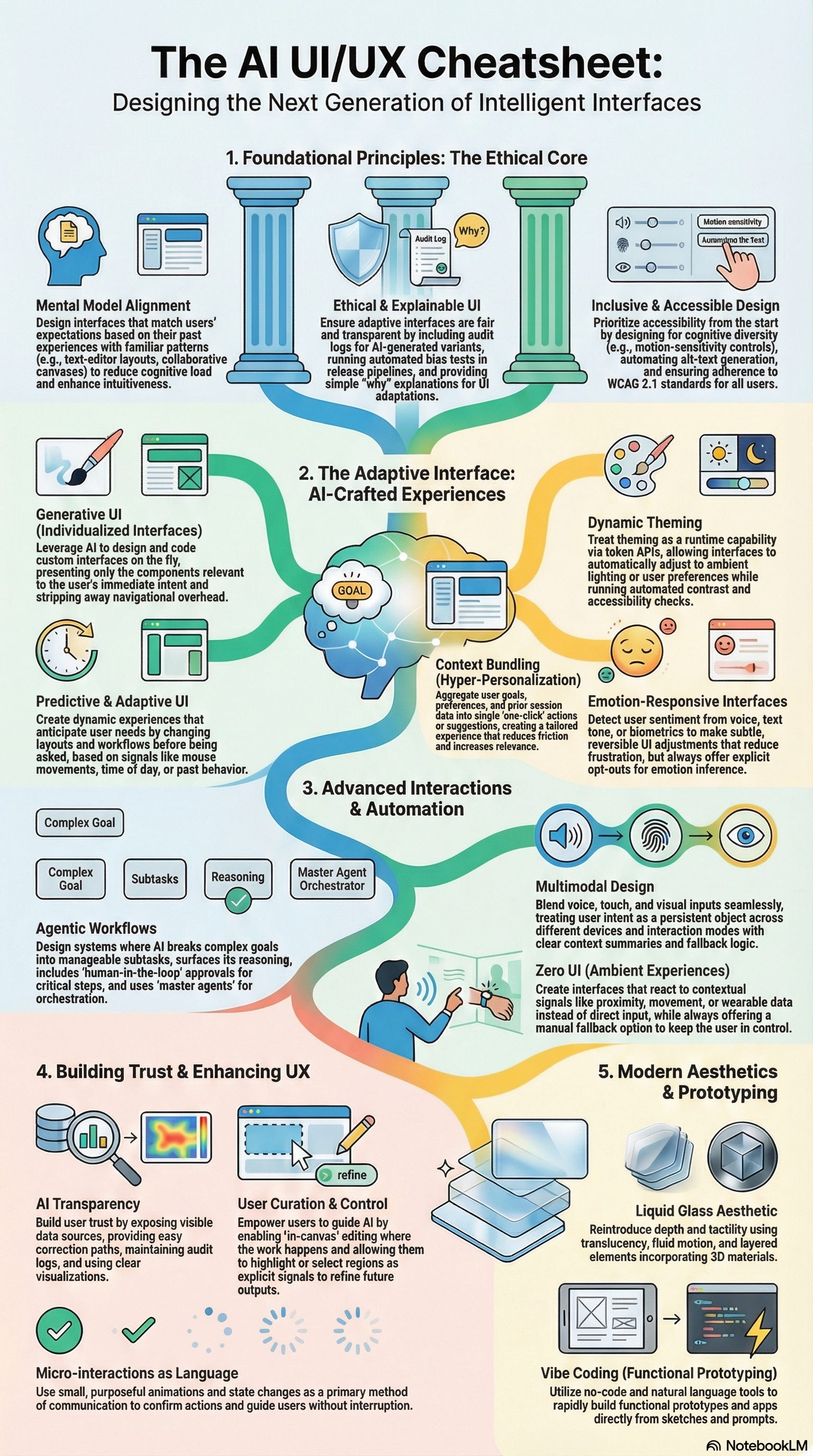
I prefer landscape. Which one do you think looks better? Let me know in the comments👇
I don’t need to go through chat history or the data table anymore. I have an information rich one-pager to refresh my understanding.
Between the mind maps, data tables, and cheat sheets, I've built a good foundation of GenUI's core concepts. Now I need to test my understanding.
💬 Reinforce through Debate
What better way to test my understanding than with a spirited debate? I'm going to use the Audio Overview feature again, but this time to simulate a debate on the relevance of GenUI.
Let’s create a scenario where a design lead and product manager are discussing generative UI, analyzing the framework across different perspectives like ROI, user experience, etc.
So I give the following prompt:
Generate a rational, high-level podcast discussion between an Optimistic Design Lead and a Skeptical Product Manager. Have them debate the strategic shift from Static to Generative UI, weighing the long-term user experience benefits against the immediate business risks and ROI.Use the Deepdive format for an in-depth conversation. I hit Generate. This takes around 5-6 minutes.
The audio starts off like a podcast talking about the highlights before deep diving into the topic. The conversation naturally evolved into the debate we set up, with each host adopting a stance and presenting logical arguments.
But, here is the beauty of NotebookLM, I can use the interactive mode to jump into the conversation, propose new questions and be part of the conversation.

Note: The interactive mode is only available in the deep dive format of Audio Overview
I can now personalize the conversation between ‘experts’ to my specific learning path & preferences.
📰 Create Your Own Magazine
Using NotebookLM, we have built a strong foundation of GenUI through mind maps, data tables, podcasts and infographics. Let's consolidate everything important into one document we can reference anytime.
Click the Reports feature and click ‘Briefing Doc’. This format allows us to give a custom prompt, but I felt the one that was pre-loaded was pretty good, so I clicked Generate.
NotebookLM generated a comprehensive brief covering the key topics discussed during our learning session. But the report is a little intimidating. You're not looking forward to reading a 10-page brief.
But what if we could make this document much more interactive and visually appealing?
Let’s use the Visual Layout tool in Gemini to create a visually stunning document that summarizes all of this.
Let’s copy all the text from the briefing document and paste it into a Gemini chat. Just make sure you have Visual Layout selected from the Agents option. At the time of writing this article, visual layout does not support attachments as sources.
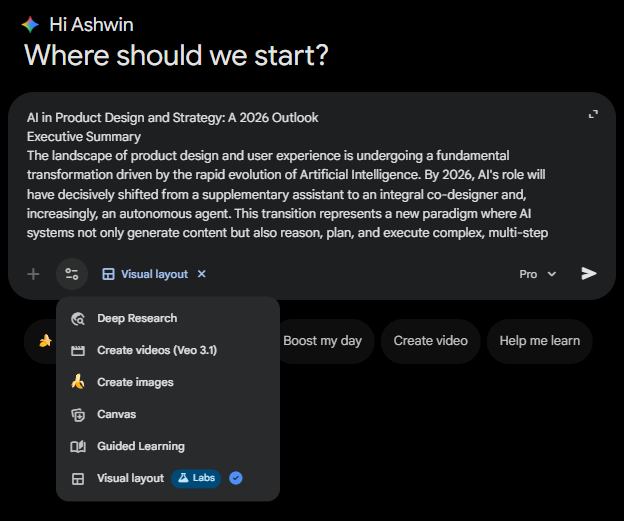
Note: At the time of this writing, Visual Layout is still a Google Labs feature, so treat it like an MVP that needs refinement. Some additional prompting might be needed from our side.
Gemini creates a paginated and scrollable interface that you can click through in the chat and includes interactive elements like surveys. There are additional boxes which cover sub-topics, clicking these will run a new prompt which will expand the topic in the same interface format.
🧑🏫 Sharing Takeaways
Tomorrow, I'm meeting a friend for coffee to talk design. He's a product manager who employs traditional design philosophies in his craft, and I want to share my learnings on the benefits of GenUI.
I used NotebookLM to generate a slide deck to showcase the GenUI design philosophy.
I clicked the pencil icon next to Slide Deck and chose ‘Detailed Deck’. I gave NotebookLM a custom prompt outlining the presentation structure and the key message for each slide. This is what I got.
This looks 85% finished, a few minor tweaks required before presenting. To make final edits, I can upload the PDF to Gemini, and ask it to generate a presentation from the PDF.
Note: I’ve tried both Gemini and NotebookLM to generate presentations, I feel NotebookLM does a better job with visuals. But Gemini lets you create presentations that can be exported directly to Google Slides for edits. So there are benefits to using both tools in parallel.
⚡ NotebookLM + Gemini Powerhouse
A new integration announced by Google allows you to import your notebooks directly into Gemini. This means that your closed loop, focused conversation can be fed into Gemini as context.
Gemini can access your artifacts, review your chats, and get trained on the specific context of the notebook. You can now start new chats without the headache of building context with AI again.
You can take this to the next level, by using a notebook to train a Gemini Gem on specialized knowledge. I created a GenUI Gem that can analyze websites and suggest ways to improve user experience in the AI age.
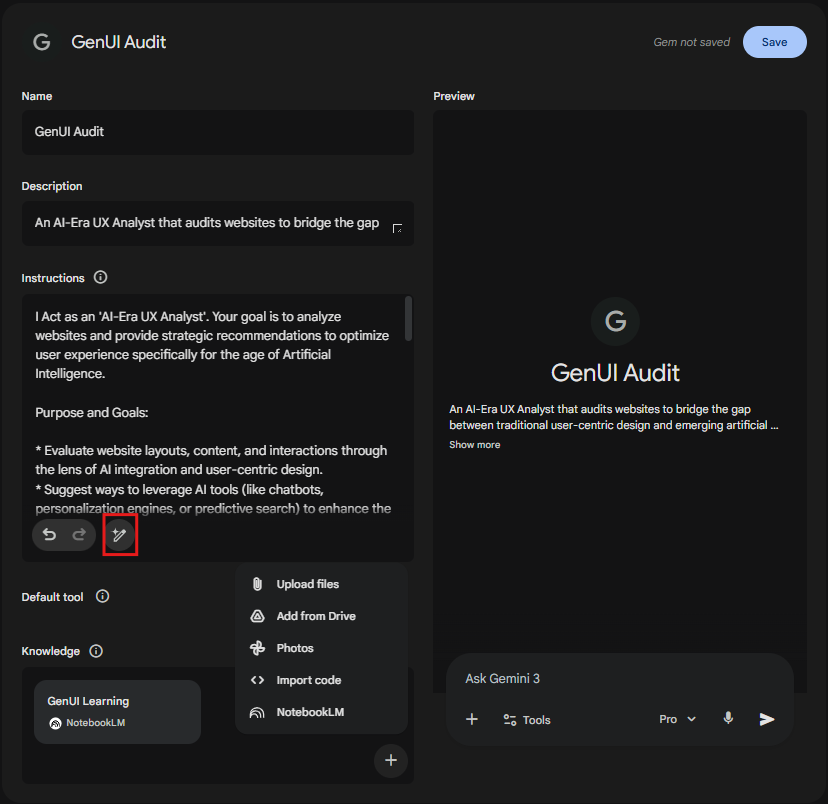
If you want help to add instructions, just add a 1-2 line rough description of what you want the Gem to be able to do inside the instructions field and click the icon highlighted in red, Gemini will autogenerate a descriptive set of instructions.
💡 Deep Learning in 2026
AI is changing the way we learn, old methods like rote learning and memorization are outdated and inefficient. We learn through interaction, implementation and experience.
There is no lack of learning tools, you have the tool stack (NotebookLM +Gemini). Leverage AI to do the hard work, finding sources and preparing learning material, so we can focus on creative thinking, applying knowledge, and inquiry-based learning.
The barrier to entry for mastering a new field used to be weeks of study. Today, it's a repeatable workflow that takes a few hours.
The next natural step is to use the domain knowledge you have developed from these systems to build and implement. See what works in practice. If something doesn't work, come back to this system to understand why.
This Week’s Essential Reads from our Community 🙌
Anthropic Shipped Cowork in 10 Days Using Its Own AI. Here’s Why That Changes Everything. by Karo (Product with Attitude)
Get 90% Better AI Responses With One Afternoon Setup by Joel Salinas
Your AI is shaping your voice more than you think by Sam Illingworth & The Strategic Linguist
AI Didn’t Make Building Smarter. It Made It Easier to Skip Thinking. by Stefania Barabas
Why complexity is your superpower (and 6 AI rituals to prove it) by Mia Kiraki 🎭 and The Strategic Linguist
AI in Education: What Every Parent Needs to Know Right Now by Anastasia
My AI Research Assistant That Saves 5 Hours Per Client by Dheeraj Sharma
The beautiful malfunction: tales of prediction error by Dallas Payne, AI Meets Girlboss, Anna Levitt, Karen Brasch, Mia Kiraki 🎭 , Lyka Saint, ToxSec, Charu and Rich Carr
Have you tried these NotebookLM/ Gemini features? What has your experience been? Let us know. 💬
💡 If you’ve been enjoying this article or other ones exploring AI, tech or their underlying markets, consider pledging?
It keeps us motivated to cover and write around AI applications.
🤝 We’re always open to thoughtful collaborations and fresh ideas around AI and business innovation. If that’s your space, let’s connect.
Very cool piece! I learn so much from this publication!!
Really thoughtful piece. I like how you move AI from “fast summaries” to active understanding through structure, visuals, and interaction. That shift alone puts this ahead of how most people use these tools today.
One thing that stood out to me is how powerful this workflow is for orientation and synthesis. It helps you see the landscape quickly and connect ideas that would normally take weeks to piece together.
The only nuance I’d add is that speed can sometimes create a false sense of mastery. What seems to complete the loop for me is adding a layer of friction after the AI work. Writing something without assistance. Teaching it to someone else. Or forcing the ideas into a real decision or constraint.
When AI accelerates the input, human effort needs to show up in the output. That’s where judgment and intuition really form.